Category: CarPlay

  • GM opting for Android Auto over CarPlay for some upcoming vehicles

    GM opting for Android Auto over CarPlay for some upcoming vehicles

    General Motors may be gradually replacing Apple’s CarPlay system with Android Auto in its vehicles, in favor of an in-house infotainment system developed with Google, leaning on subscription services.

    While Apple prepped to launch the next generation of CarPlay and teased this in 2022, some automobile manufacturers seemed hesitant. After being late to the game in integrating third-party systems, GM will no longer offer CarPlay and Android Auto in future electric vehicles, starting with the 2024 Chevrolet Blazer. GM is rumored to be keeping CarPlay and Android Auto in its combustion vehicles. Owners of vehicles equipped with the mirroring technologies will still be able to use the systems.

    According to Reuters, GM has been working with Google to develop its own infotainment systems. This could potentially help GM collect more data on how people drive and charge their electric vehicles.

    Customers who purchase a GM electric vehicle will get access to Google Maps and Google Assistant at no cost for eight years. The future GM system will also offer apps like Spotify, Audible, and other services.

    GM was not included amongst the list of next-generation CarPlay partners. That list includes Land Rover, Audi, Lincoln, Porsche, Nissan, Ford, Jaguar, Acura, Volvo, Honda, Polestar, and Infiniti.

    Stay tuned for additional details as they become available.

    Via AppleInsider and Reuters

  • Apple releases iOS 16.0.3 update, focuses on notification fixes, camera speed bug fix for iPhone 14, other issues

    Apple releases iOS 16.0.3 update, focuses on notification fixes, camera speed bug fix for iPhone 14, other issues

    It may have been a federal holiday, but Apple got to word on Monday, releasing its iOS 16.0.3 update.

    The update offers the following fixes and changes:

    • Incoming call and app notifications may be delayed or not delivered on iPhone 14 Pro and iPhone 14 Pro Max.
    • Low microphone volume can occur during CarPlay phone calls on iPhone 14 models.
    • Camera may be slow to launch or switch between modes on iPhone 14 Pro and iPhone 14 Pro Max.
    • Mail crashes on launch after receiving a malformed email.

    As always, you can update your iPhone to iOS 16.0.3 by heading to the Settings app, choosing General, then choosing Software Update.

    If you’ve had a chance to try the new iOS 16.0.3 update, please let us know about your experience in the comments.

    Via 9to5Mac

  • BMW announces temporary halt to shipping cars with Apple CarPlay, Android Auto functionalities

    BMW announces temporary halt to shipping cars with Apple CarPlay, Android Auto functionalities

    If you’re hankering for a BMW with either Apple’s CarPlay or Android Auto functionality, you may have to wait a bit.

    BMW has begun temporarily shipping cars without these technologies giver the automaker changing its chip suppliers.

    The new chips built into many BMWs manufactured this year require updated software to be able to run Apple ‌CarPlay‌ and Android Auto. BMW customers who receive a new car without ‌CarPlay‌ are being asked by dealerships to wait for an over-the-air update that will enable the functionality “by the end of June at the latest.” 

    It’s unknown how many BMW models are affected, albeit a large number of customers in the U.S., Italy, Spain, the UK, and France have posted online about their new vehicles being delivered without ‌CarPlay‌. Affected models include the code “6P1” in their specification.

    BMW has stated that it is changing chip suppliers to strengthen its supply chain in the long term amid the continued impact of the global chip shortage, which could reduce component shortages in the second half of the year.

    Stay tuned for additional details as they become available.

    Via MacRumors and Automotive News Europe

  • Google Maps for iOS receives significant update, new navigation options for Apple Watch users

    Google Maps for iOS receives significant update, new navigation options for Apple Watch users

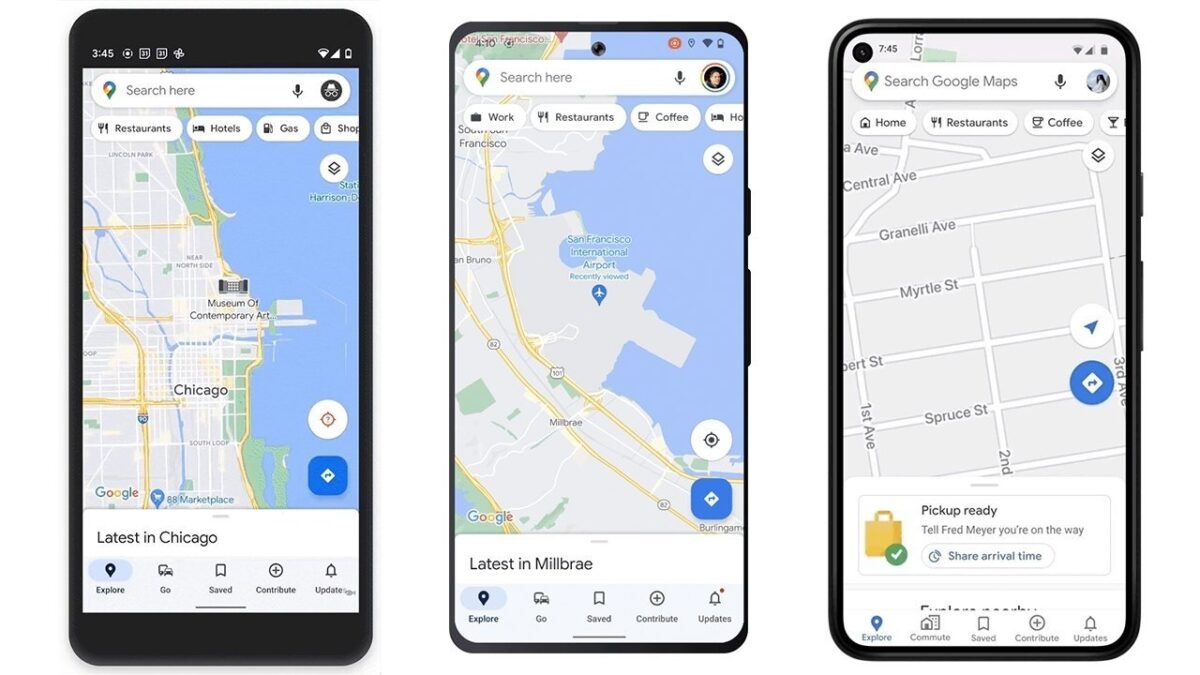
    Google has rolled out a hefty new update to version 6.12 of its Google Maps app for iOS.

    The update offers the following fixes, changes, and new features:

    • Makes it easier to navigate on iPhone and Apple Watch (watchOS users will be offered the ability to get directions directly on their wrist, Google users will soon be able to tap an Apple Watch shortcut and begin navigating with a connected iPhone, and a new “Take Me Home” complication will offer easy access to directions back to a set location).
    • Offers a more detailed navigation map, complete with streetlight data and enhanced building outlines.
    • Additional detail in select cities for iOS and CarPlay.
    • Navigation routes that require traveling on toll roads will now display estimated toll pricing that’s based on factors like payment methods and the time of week. Google says this feature is coming to 2,000 toll roads in the U.S., India, Japan, and Indonesia in April.
    • Other smaller features include a new pinned trip widget that will let users see selected trips, as well as an updated Google Maps search widget that has a smaller UI.

    Google has also stated that it plans to add Google Maps integration directly to Shortcuts, Spotlight, and Siri. Once rolled out, the feature will allow users to ask Siri for directions via voice commands.

    Google Maps 6.12 is available for free and requires iOS 12.2 or later to install and run.

    If you’ve tried the updated version and have any feedback to offer, please let us know about your experience in the comments.

    Via AppleInsider and the App Store

  • Apple releases iOS 15.2.1, iPadOS 15.2.1 updates

    Apple releases iOS 15.2.1, iPadOS 15.2.1 updates

    Apple on Wednesday released both iOS 15.2.1 and iPadOS 15.2.1, the software arriving one month after the company’s release of iOS 15.2 and iPadOS 15.2.

    Per the patch notes, the updates address an issue causing Messages sent through an iCloud Link not to load and it fixes bug with third-party CarPlay apps not responding to input. 

    The iOS 15.2.1 and iPadOS 15.2.1 update can be downloaded for free and the software is available on all eligible devices over-the-air in the Settings app. To access the new software, go to Settings > General > Software Update.

    If you’ve had a chance to try the updates and have any feedback to offer, please let us know about your experience in the comments.

    Via MacRumors