Category: Hardware

  • Apple releases macOS Tahoe 26.4 update

    Apple releases macOS Tahoe 26.4 update

    Amid Monday’s update-o-rama, Apple released the much-anticipated macOS Tahoe 26.4 update.

    The update offers the following fixes, changes, and new features:

    Battery & Power:
    • New Charge Limit setting
    • Set the maximum battery charge between 80 percent – 100 percent to extend battery lifespan
    • Integrated into System Settings (Battery)
    • Can be automated via Shortcuts (e.g., tied to Focus modes)

    Safari:
    • Compact Tab Bar returns
    • Optional UI mode for a more condensed browsing layout

    Platform & Compatibility:
    • Rosetta 2 deprecation warnings
    • Alerts when launching Intel-based apps on Apple Silicon Macs
    • Signals upcoming removal in future macOS releases

    Apps & Features:
    • Freeform enhancements
    • New Creator Studio–related tools and expanded capabilities
    • Podcasts improvements
    • Smoother switching between audio and video podcast formats

    Emoji:
    • 8 new emoji added, including:
    • Orca
    • Trombone
    • Landslide
    • Ballet dancer
    • Treasure chest
    • (and more)

    System & UI Fixes:
    • Fixes and improvements to:
    • Window resizing behavior (corner radius issues)
    • General system stability and performance
    • Ongoing bug fixes across UI and system components

    Developer Updates:
    • API and platform improvements, including:
    • Enhanced StoreKit behavior
    • Network MIDI 2.0 support
    • Asset pack and backend improvements

    Additional Changes:
    • Improved battery health management system-wide
    • Continued transition away from Intel-based Mac support
    • Minor UI tweaks and under-the-hood optimizations

    As usual, the update can be located, downloaded, and installed by navigating to Apple > System Settings > General > Software Update and proceeding from there.

    If you’ve had a chance to try the macOS Tahoe 26.4 update, please let us know about your experience in the comments.

    Via AppleInsider
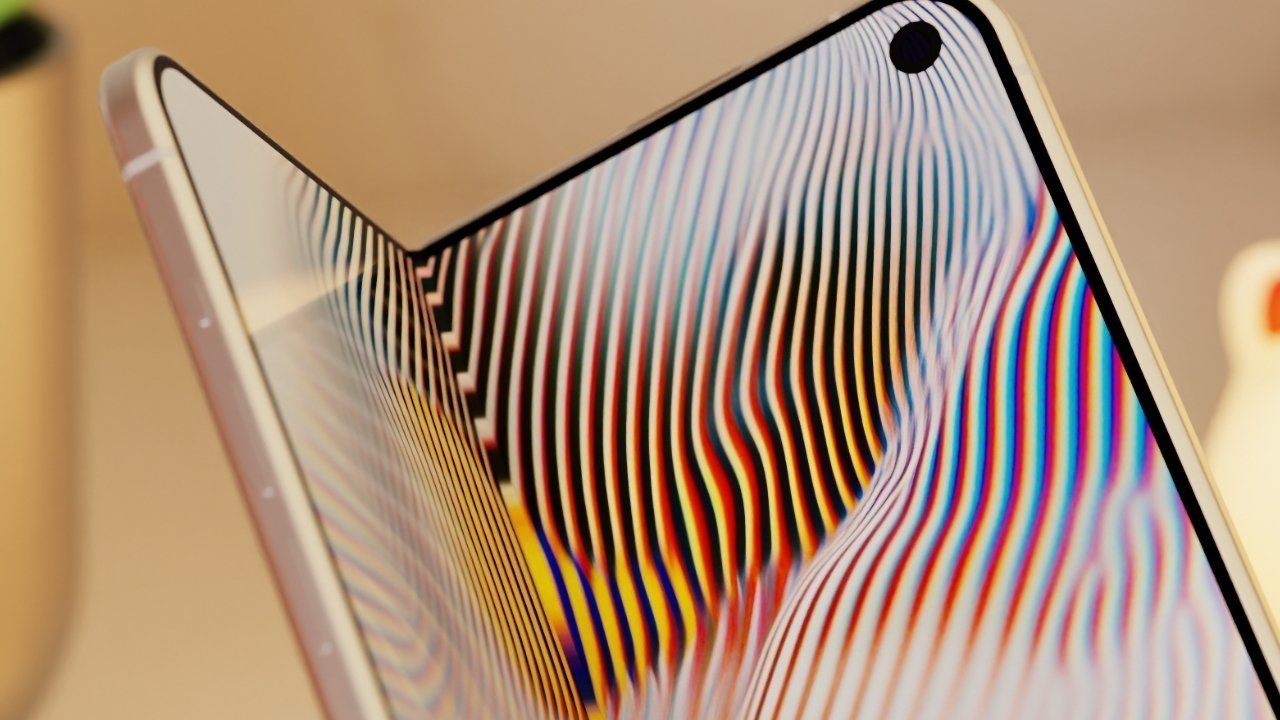
  • Rumor: iPhone Fold reported to use “glass sandwich” approach to help reduce possible screen damage

    Rumor: iPhone Fold reported to use “glass sandwich” approach to help reduce possible screen damage

    When in doubt, go for the protective sandwich design.

    In its quest to prevent damage to the iPhone Fold display and avoid the same pitfalls as other hardware manufacturers have fallen into, Apple may be slated to go beyond using “self-healing glass” and a seamless hinge design and use a sandwich approach to the display panel of the upcoming device.

    In a Monday post to Chinese social media website Weibo, serial leaker Digital Chat Station has claimed that Apple may use a dual-layer UTG/UFG (Ultra-Thin Glass/Ultra-Thin Flexible Glass) structure. The actual display layer would be placed between two thin glass layers, with one above and one below.

    If so, this would help prevent the display from contacting the hinge mechanism directly. As the iPhone Fold flexes, the screen and hinge will move around, potentially making contact with each other. Another reason for this would be to reduce the mechanical stress induced by the act of folding. With glass layers on both sides, the glass elements will take most of the strain in the folding process, minimizing the stress on the display panel section.

    Back in December, Digital Chat Station claimed Apple was exploring the use of UFG for the display, and that there were still some “technical challenges” to overcome. However, previous reports said that Apple had solved its display design puzzle.

    Apple is thought to be shipping the iPhone fold later this year, with some rumors claiming the unit will feature a visible crease, while others have stated that the crease is barely observable to its users.

    Other additional features to the display could include advanced protection from scratches in the form of two film materials that Apple could put on top of the foldable glass to prevent damage to the screen itself. This technique has been used by Samsung Display, which is a major partner in Apple’s supply chain, and thus could be adding the element to the iPhone Fold.

    Stay tuned for additional details as they become available.

    Via AppleInsider and Weibo

  • Rumor: Apple’s twelfth-generation iPad, complete with an A19 processor, is “ready to go”

    Rumor: Apple’s twelfth-generation iPad, complete with an A19 processor, is “ready to go”

    Apple may have a twelfth-generation iPad, complete with an A19 chip with Apple Intelligence, ready to be released this year.

    Per Bloomberg’s Mark Gurman, the updated iPad is “ready to go” and “still coming this year.”

    No other major changes have been rumored so far for the iPad 12, and it’s expected that tablet will feature the same overall design as the current model.

    Apple Intelligence is already available on all other current-generation iPad models, including the iPad mini, iPad Air, and iPad Pro.

    Apple released the iPad 11 with an A16 chip in March 2025, with U.S. pricing starting at $349.

    Stay tuned for additional details as they become available.

    Via MacRumors and Bloomberg

  • Nvidia’s Ultimate GeForce Now streaming tier allows for up to 120Hz refresh rates on Apple’s M5-based Vision Pro headset

    Nvidia’s Ultimate GeForce Now streaming tier allows for up to 120Hz refresh rates on Apple’s M5-based Vision Pro headset

    You may not own an Apple Vision Pro or have plans to snag one in the near future, but it appears that Nvidia and Apple are still working hand in hand to make it a nifty gaming device.

    Per 9to5Mac, Nvidia’s most expensive game streaming plan now supports 90 frames per second gameplay on Apple Vision Pro. GeForce Now also streams at a higher resolution for Vision Pro compared to other headsets.

    The new M5-based Apple Vision Pro now supports up to 120Hz refresh rates, while the original M2-based Apple Vision Pro offered up to 100MHz refresh rates.

    From Nvidia’s end, the streaming rate for its GeForce Now gaming application is streamed at 60Hz for its free and Performance ($10/month) tiers. However, the Ultimate ($20/month) tier increases the streaming rate to 90Hz. This allows Apple Vision Pro gamers to enjoy higher resolutions compared to Quest and Pico VR headset users.

    UploadVR offered the following comment on the difference:

    “…the $20/month Ultimate tier renders at up to 4K 240 FPS and now streams at 90FPS, with quadruple the vCPU and RAM of the free tier and an RTX 5080 equivalent GPU handling rendering for some titles, with an RTX 4080 for other less demanding ones.
    On the default Balanced quality mode, the Ultimate tier will stream to headsets at 1080p 90FPS by default. By switching to Custom mode, you can increase this to 1440p 90FPS on Quest and Pico, or 4K 90FPS on Apple Vision Pro headsets.”

    For flight simulation fans, X-Plane, the “world’s most advanced flight simulator”, will work with Apple Vision Pro, starting with visionOS 26.4, and iRacing will join.

    GeForce Now brings game streaming to Apple Vision Pro as well as the Mac for titles otherwise unavailable on either platform.

    Stay tuned for additional details as they become available.

    Via 9to5Mac and UploadVR

  • iFixit publishes iPhone 17e teardown, cites interchangeable components, possible MagSafe upgrade path for iPhone 16e owners

    iFixit publishes iPhone 17e teardown, cites interchangeable components, possible MagSafe upgrade path for iPhone 16e owners

    The cool cats at iFixit have done it again, this time publishing a teardown of Apple’s newly released iPhone 17e, which launched last Wednesday. The new model is almost identical to the iPhone 16e in design, but it does include a MagSafe back panel that supports ‌MagSafe‌ and faster Qi charging than the iPhone 16e.

    Interestingly enough, the staff at iFixit noted that the MagSafe panel for the iPhone 17e is the same size as the panel for the 16e, and that the two feature interchangeable components. This would allow users to take a back panel from an ‌iPhone 17e‌ and put it on an iPhone 16e, adding ‌MagSafe‌ to an iPhone 16e, and would allow for a relatively easy iPhone 16e upgrade. The downside is that the iPhone 16e doesn’t feature built-in software that recognizes ‌MagSafe‌ accessories to provide animations, and it’s not yet clear if it charges at the full 15W.

    Other interesting changes include the fact that Apple provided day one panels for the iPhone 17e, and the battery can be swapped off without having to remove the display, even though a considerable amount of adhesive still needs to be removed. The ‌iPhone 17e‌ continues to use adhesive for the battery that can be removed with an electrical pulse, which makes battery replacements simpler.

    Other notable changes between the iPhone 16e and the iPhone 17e include the fact that the iPhone 17e uses an A19 System on Chip, which replaces the A18. Apple also swapped out the C1 modem for the new, faster C1X modem, and there’s more starting internal storage at 256 GB. A number of components are also interchangable between the two models, including the logic board, which can be installed into an iPhone 17e chassis with almost no issues registering parts. The TrueDepth camera for Face ID didn’t work when swapped from iPhone to iPhone.

    Although iFixit generally liked the enhanced repairability of the iPhone 17e model, it noted that the USB-C port was too buried behind components, which will make DIY repairs daunting for people. Apple fixed the USB-C accessibility issue in its main flagship models, but has not made the port easier to get to in the “e” models. The company awarded the iPhone 17e a provisional repairability score of 7 out of 10.

    Stay tuned for additional details as they become available.

    Via MacRumors and iFixit