Tag: 11.1

  • Apple developing 11.1-inch and 13-inch iPad Pro units with OLED displays for early 2024 launch

    Apple developing 11.1-inch and 13-inch iPad Pro units with OLED displays for early 2024 launch

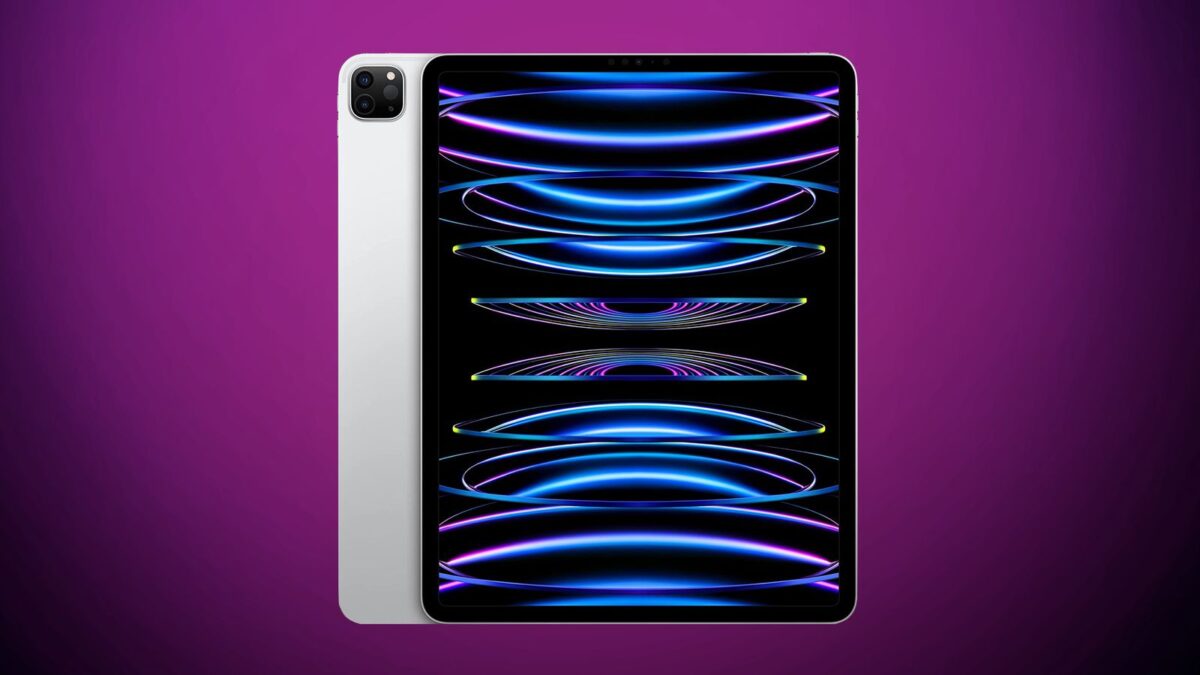
    Per noted display analyst Ross Young, Apple is currently developing 11.1-inch and 13-inch OLED iPad Pro models that are due to be released in the first quarter of 2024.

    Young has previously mentioned new OLED ‌iPad Pro‌ models planned for 2024, but this is the first time he’s confirmed updated 11.1 and 13-inch display sizes. The larger 11.1 and 13-inch screen sizes planned for the OLED ‌iPad Pro‌ models could offer slimmed down bezels rather than an overall change in the size of the device.

    Apple presently sells a 12.9-inch mini-LED iPad Pro as well as an 11-inch iPad Pro with a traditional LCD display, with the mini–LED functionality being reserved for the higher-end iPad Pro tablet. With the 2024 update, Apple could return to feature parity between the two ‌iPad Pro‌ models.

    Apple also refreshed its 11-inch and 12.9-inch iPad Pro models this October, adding the M2 chip, so an update might not be due in the near term.

    Young previously said that Apple would introduce a 14.1-inch ‌iPad Pro‌ in 2023, but walked that back today and said that such a device is no longer in the works.

    Stay tuned for additional details as they become available.

    Via MacRumors

  • Find My app updated, receives support for third-party accessories

    Find My app updated, receives support for third-party accessories

    If nothing else, this will come in handy when you misplace something.

    Apple on Wednesday announced the launch of its Find My network accessory program, which allows compatible third-party accessories to be tracked via the Find My app. The first products that work with the Find My app will include a new Chipolo item tracker, Belkin earbuds, and select VanMoof e-bikes.

    The program launched without an update to the forthcoming version of iOS, and the updated Find My app with a new Items tab is available starting today on devices running iOS 14.3 and later, iPadOS 14.3 and later, and macOS Big Sur 11.1 or later, following a server-side change. 

    Approved products will feature a “Works with Apple Find My” badge icon. Users can also locate when a Find My-enabled product has gone missing but is nearby, activating a sound on the item in an effort to pinpoint its location.

    Apple is thought to be working on its own item tracking product, known as “AirTags,” and users should be able to keep an inventory of AirTags-equipped products via the Find My app. It’s unknown as to when AirTags will be announced.

    If you’ve had a chance to try the new Find My feature, please let us know about your experience in the comments.

    Via MacRumors

  • Apple releases macOS Big Sur 11.1 update

    Apple on Monday released its macOS Big Sur 11.1 update to the public. The update offers support for AirPods Max, App Store privacy labels, and Apple News Widgets.

    The full change list is as follows:

    AirPods Max

    • Support for AirPods Max, new over-ear headphones
    • High fidelity audio for rich sound
    • Adaptive EQ adapts sound in real time to the personal fit of ear cushions
    • Active Noise Cancellation to block out environmental noise
    • Transparency mode to hear the environment around you
    • Spatial audio with dynamic head tracking for a theater-like listening experience

    Apple TV

    • An all-new Apple TV+ tab makes it easy to discover and watch Apple Original shows and movies
    • Enhanced search so you can browse by category such as genre and see recent searches and suggestions as you type
    • Top search results shown with the most relevant matches across movies, TV shows, cast, channels, and sports

    Apple News

    • Apple News widgets are now available in Notification Center

    App Store

    • New privacy information section on App Store pages that includes a developer-reported summary of the app’s privacy practices
    • In-game dashboard within Arcade games recommends new Arcade games to play

    iPhone and iPad apps on Macs with M1 

    • New window options for iPhone and iPad apps let you switch between landscape and portrait orientations or expand a window to fill the entire screen

    Photos

    • Apple ProRAW photos can be edited in the Photos app

    Safari

    • Ecosia search engine option in Safari

    Air Quality

    • Available in Maps and Siri for locations in China mainland
    • Health recommendations are provided in Siri for the United States, United Kingdom, Germany, India, and Mexico at certain air quality levels

    This release also addresses the following issues:

    • QuickTime Player might quit when opening a movie with a timecode track after upgrading from macOS Catalina
    • Bluetooth connection status was not displayed in Control Center
    • Reliability of unlocking your Mac automatically with your Apple Watch
    • Trackpad scrolling speed may be faster than expected on MacBook Pro models
    • LG UltraFine 5K Display may incorrectly display at 4K resolution on Macs with M1

    The update can be snagged by going to System Preferences > Software Update and going from there.

    If you’ve had a chance to try the macOS Big Sur 11.1 update, please let us know about your experience in the comments.

    Via 9to5Mac

  • Apple incorporates 13 major WebKit changes into Safari 11.1 update

    It’s on the technical side of things, but Apple recently detailed the 13 major WebKit changes applied in Safari 11.1 when macOS 10.13.4 High Sierra hit last week.

    The changes are as follows:

    Service Worker API
    The Service Worker API enables scripts that run in the background to handle generalized processing for web pages. Service Worker scripts commonly work with other complimentary APIs, such as the Cache API, also included in this release, to store fetch requests and responses that to improve network performance or provide an offline experience. WebKit’s implementation respects user privacy partitioning Service Workers by the top level document origin to help prevent cross-site tracking.

    Read the “Workers at Your Serivce” blog post for more details about the WebKit implementation fo Service Workers.

    (more…)

  • Apple releases iOS 11.1 update

    If you were looking for a meaty iOS update, this might be your lucky day. On Tuesday, Apple released iOS 11.1, the latest version of its mobile operating system.

    The update, a 246 megabyte download, adds the following fixes and changes:

    Emoji:
    – Over 70 new emoji characters including new food types, animals, mythical creatures, clothing options, more expressive smiley faces, gender-neutral characters and more.

    Photos:
    – Resolves an issue that could cause some photos to appear blurry.

    – Addresses an issue that could cause Live Photo effects to playback slowly.

    – Fixes an issue that could cause some photos to not display in the People album when restoring from an iCloud Backup.

    – Fixes an issue that could impact performance when swiping between screenshots.

    Accessibility:
    – Improves braille support for Grade 2 input.

    – Improves VoiceOver access to multi-page PDFs.

    – Improves VoiceOver rotor actions for announcing incoming notifications.

    – Improves VoiceOver rotor actions menu when removing an app from the App Switcher.

    – Fixes an issue for some users where alternative keys would not display when using VoiceOver with Touch Typing.

    – Fixes an issue where VoiceOver rotor would always return to default action in Mail.

    – Fixes an issue where VoiceOver rotor would not delete messages.

    Other Improvements and Fixes:
    – Adds back support for accessing the app switcher by pressing on edge of display with 3D Touch.

    – Fixes an issue that caused cleared Mail notifications to reappear on Lock screen.

    – Fixes an issue in enterprise environments that prevented data from being moved between managed apps.

    – Fixes an issue with some 3rd-party GPS accessories that caused inaccuracies in location data.

    – Resolves an issue where settings for Heart Rate notifications were appearing in Apple Watch app (1st generation).

    – Fixes an issue where app icons were not appearing in notifications on Apple Watch.

    To snag the update, head on over to Settings > General > Software Update to install the update over the air or connect your device to your computer and install it manually via iTunes.

    If you’ve tried the iOS 11.1 update and have any feedback to offer, please let us know about your experience in the comments.