Tag: 2TB

  • German data recovery company warns of possible hard drive failures in Apple Time Capsule units

    German data recovery company warns of possible hard drive failures in Apple Time Capsule units

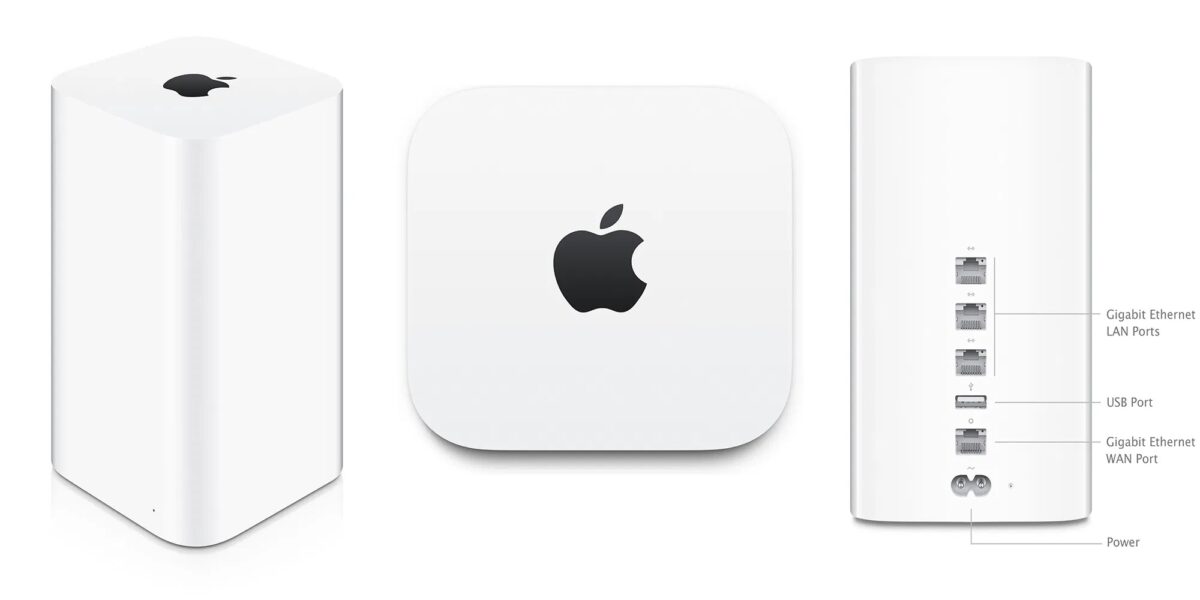
    As much as you may love your old Apple Time Capsule, it may be time to back up its data and move on to a different drive.

    Per German data recovery company Datenrettung Berlin, Apple’s Time Capsule, which was discontinued in 2018, could pose a risk to users, as a flaw in the Seagate drive inside could put data at risk.

    The drives in question are now suffering from an apparent design flaw that is leading to abnormally high failure rates, according to Datenrettung:

    We must assume that this is an error in the design1 of the Seagate Grenada hard drive installed in the Time Capsule (ST3000DM001 / ST2000DM001 2014-2018). The parking ramp of this hard drive consists of two different materials. Sooner or later, the parking ramp will break on this hard drive model, installed in a rather poorly ventilated Time Capsule.

    The damage to the parking ramp then causes the write/read unit to be destroyed and severely deformed the next time the read/write unit is parked. When the Time Capsule is now turned on again or wakes up from hibernation, the data disks of the Seagate hard drive are destroyed because the deformed read-write unit drags onto it.

    The company said the failure in the Seagate drive design has been the cause behind nearly every Time Capsule failure it has seen. It says that while data recovery is sometimes possible, it requires “very high effort,” and in some cases, the data is not fully recoverable.

    Datenrettung, in turn, has recommended that users with a Time Capsule with 2TB or 3TB of storage look for an alternative backup solution. The cool cats at iFixit have posted a detailed guide as to how you can swap the hard drive in an AirPort Time Capsule out and replace it with something more reliable.

    Stay tuned for additional details as they become available.

    Via 9to5Mac, Golem, and iFixit

  • Flash storage modules linked to logic board in some 27-inch 2020 iMac models

    If you snag a brand new 27-inch 2020 model iMac, be sure it has the storage capacity you’re looking for.

    According to technical documents, the 4TB and 8TB configurations the flash storage expansion board is attached to a connector on the logic board. However, the expansion board and connectors are not present in the 256GB, 512GB, 1TB, and 2TB configurations.

    The documentation states that the flash storage and logic board are paired for hardware and encryption purposes. As such, data will be lost if the logic board needs to be replaced.

    As always, back up regularly, be sure to use Time Machine or the backup service of your choice, and be careful with your data.

    Stay tuned for additional details as they become available.

    Via The Mac Observer and MacRumors

  • Iomega Mac Companion hard drive boasts iOS device charging port, 2 and 3TB capacities

    Apple’s recent Mac OS X Lion release shows how the Mac and iOS platforms are increasingly overlapping. And third-parties are beginning to follow Apple’s platform-blurring lead: On Tuesday, Iomega rolled out an external hard drive that also features a charging port designed for Apple’s mobile devices.

    Per Macworld, the Iomega Mac Companion Hard Drive, which arrives in 2TB and 3TB capacities and sports 7200-rpm hard drives, feature a USB charging port for Apple’s iOS devices. Users will be able to plug their iPhone, iPad, or iPod touch into the Mac Companion Drive to recharge the batteries on those mobile devices whenever they’re back at their desktop.

    In all, the Mac Companion Hard Drive offers two FireWire 800 ports, a USB 2.0 port, and a two-port integrated USB 2.0 hub. That latter connection means that users can connect printers, other external hard drives, or other devices to Iomega’s new offering. The Mac Companion Hard Drive ships with three cables—one for FireWire 800, another for USB 2.0, and a FireWire 400-to-800 conversion cable.

    The drive also sports a capacity indicator gauge—basically a set of four LEDs—that will give users an idea of how much space they have left on the Mac Companion Hard Drive. Four white LEDs mean that less than 20 percent of the capacity is in use, for example, while a single red LED indicates that more than 80 percent of the storage space has been used up.

    Iomega’s Mac Companion Hard Drive starts at US$195 for the 2TB model with the 3TB version retailing for US$295. The drive includes Iomega’s QuickProtect file-level backup software and 2GB of free online backup through Mozy. The drive is initially available through Apple’s online store and retail outlets, though Iomega plans to expand sales to other stores and sites later in August.

    Stay tuned for additional details as they become available.