Tag: messages

  • Apple releases iOS 16 update to the general public

    Apple releases iOS 16 update to the general public

    iOS 16 just dropped and the changes are massive.

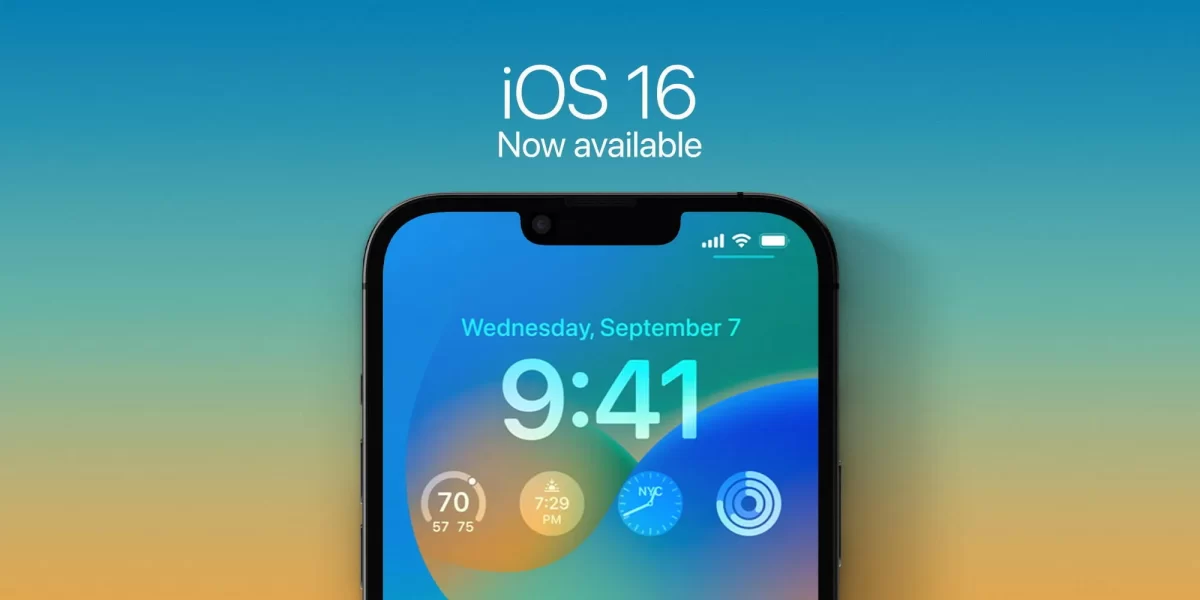
    Following three months of beta testing, the update is now available to the general public and includes an extensive list of new features, including a completely customizable Lock Screen.

    Lock Screen: You can now add widgets to your Lock Screen, choose custom fonts and colors, and apply different filters. You can also create multiple different Lock Screens and easily switch between them. The different Lock Screens can also be tied to Focus Modes, such that they change automatically as you set Focus Modes.

    Third-party apps can also integrate with Lock Screen widgets, in a way that’s very similar to putting widgets on your Home screen. The Lock Screen can also be customized with widgets, fonts, photos, wallpapers, and more.

    Interestingly, iOS 16 lets you create wallpapers using emoji characters, photo shuffle, and custom color gradients. There’s also the return of the iconic clownfish wallpaper from the original iPhone.

    iMessage: New additions to this feature include the ability to unsend a message as well as to edit a message. Apple has made some changes to these features throughout the beta testing process in response to concerns over abuse.

    To edit or unsend an iMessage in iOS 16, you simply long-press on the message in question after you’ve sent it. You can unsend an iMessage for up to two minutes after it has been sent. Other iMessage users will be able to see that you unsent a message, but they won’t be able to see what that message said.

    An iMessage can be edited up to five different times.

    Each of those edits is logged and visible to both the sender and receiver of the iMessage.

    Other changes to Messages:

    Mark as unread

    Recover recently deleted messages

    SharePlay via Messages

    SMS Tapbacks on Android

    Audio message playback: fast-forward or rewind audio messages as you listen

    Focus modes

    Focus Mode in iOS 16: Following its debut with iOS 15 last year, Focus Mode is seeing some hefty improvements under iOS 16. Apple has streamlined the setup process to make it easier to allow or block notifications from specific apps and contacts.

    Focus filters now allow you to manage notifications from Apple applications like Calendar, Mail, Messages, and Safari.

    Focus modes can be tied to Lock Screens and Home Screens as well, automatically showing specific pages and screens depending on the Focus that’s currently enabled.

    Privacy and security in iOS 16: New privacy and security features in iOS 16 include Safety Check, which is a new section in the Settings app that helps people domestic or intimate partner violence situations quickly reset the access they’ve granted to others.

    Per Apple:

    “If circumstances or trust levels change, Safety Check allows you to disconnect from people, apps, and devices you no longer want to be connected to,” Apple says. This allows you to immediately reset access for all people and apps and help you review your account security. You can also customize which people and apps can access your information.

    iPhone Lockdown Mode: iOS 16 adds Lockdown Mode. This “provides extreme protection for the very small number of users who face grave, targeted threats to their digital security.” Lockdown Mode will strictly limit certain functionality to “reduce the attack surface that could potentially be exploited by highly targeted mercenary spyware.”

    Lockdown Mode disables features in applications like Messages, Safari, FaceTime, Photos, and much more.

    Notifications in iOS 16: Under iOS 16, Notifications now come in from the bottom of the screen. In the Settings app, you’ll find three notification options: counts tack, and list. Count shows you the number of notifications you have in total, stack organizes your notifications into a single stack per app, and list its the notification system that iOS has used for years.

    Passkeys: These work to transition away from passwords, and function as unique digital keys designed to replace the need for passwords altogether with streamlined sign-in across your devices, websites, and apps. Using them will be similar to using iCloud Keychain, Face ID, or Touch ID and passkeys are synced across your devices using iCloud Keychain with end-to-end encryption, so even Apple can’t view the information.

    Siri and dictation upgrades: The new Dictation feature in iOS 16 allows you to easily transition between voice and touch. While dictating, you can type with the keyboard, tap in the text field, move the cursor, and insert QuickType suggestions.Dictation also now supports auto-punctuation, automatically inserting commas, periods, and question marks for you as you dictate.

    Other Siri upgrades:

    Insert emoji when sending messages with Siri.

    Skip the confirmation step when sending messages.

    Siri can run shortcuts from your apps without any setup required.

    Completely redesigned Home app

    iOS 16 HomeKit
    One of my favorite features in iOS 16 is the completely redesigned Home app. After several years of minor changes, the Home app has gotten a huge upgrade with iOS 16.

    The new Home app is designed to make it easier to navigate, organize, view, and control all your accessories. You can customize the main tab by choosing favorite accessories for each room, viewing things by categories, adjusting the size of different tiles, and much more.

    Apple is also working to adopt the Matter standard, which is set to launch later this year. This will make it possible to use compatible accessories seamlessly across multiple different platforms. It should also increase the number of accessories that support HomeKit and Siri control.

    Accessibility Options: As first announced by Apple way back in May, there are a host of new Accessibility features in iOS 16. First and foremost, a new Apple Watch mirroring feature allows you to fully control Apple Watch from your iPhone and use assistive features such as Switch Control and Voice Control.

    Door Detection allows you to use your iPhone’s camera to locate a door, read signs and labels, and get instructions on how to open the door. There’s also a new Detection Mode in the Magnifier app. Apple explains that this feature gives you “rich descriptions of your surroundings” including People Detection and Image Descriptions.

    Live Captions provide automatically generated captions in real time for users who are deaf or hard of hearing. The feature also shows automatically transcribed dialogue with speaker attribution in FaceTime.

    Additional new changes:

    • Apple Maps supports multi-stop routing, allowing you to play a route with multiple stops along the way.
    • Health app adds medication tracking: Create a medications list to keep track of medications, vitamins, and supplements you take.
    • Fitness app now available for all iPhone users, even if you don’t have an Apple Watch.
    • Face ID now works in landscape on supported iPhone models.
    • FaceTime now supports Handoff: Move FaceTime calls seamlessly from your iPhone to your Mac or iPad, and vice versa.
    • Notes app now allows you to lock notes behind your iPhone passcode.
    • The Music app now supports favoriting different artists and bands as well as new playlist sorting options.
    • Live Text now supports videos: Text is completely interactive in paused video frames, so you can use functions like copy and paste, lookup, and translate.
    • iOS 16 can instantly remove the background from any image, allowing you to effortlessly lift the subject from the background of an image. Here’s how it works.
    • The Mail app now supports scheduled send and undo send for the first time.

    As always, the update can be located, downloaded, and installed by going to the Settings app on your iPhone, choosing “General,” and then choosing “Software Update” to begin the installation process.

    If you’ve tried the iOS 16 update, please let us know about your experience in the comments.

    Via 9to5Mac

  • Apple confirms September 12 launch date for iOS 16

    Apple confirms September 12 launch date for iOS 16

    You’re only a handful of days away from the launch of iOS 16.

    Over at the “Far Out” media event, Apple confirmed that its upcoming iOS 16 mobile operating system will be available for download and installation onMonday, September 12.

    The update includes the following new features as well as others:

    Customization: Support for new lock screen customization options includes fonts, widgets, new images, and much more. 

    Edit iMessage: You can edit a message for up to 15 minutes after sending it. Recipients will be able to see a record of edits made to the message.

    Undo Send in iMessage: Unsend any message for up to 2 minutes after sending it.

    Mark as unread in Messages: Mark messages as unread when you don’t have time to respond but want to be sure to reply to the sender later.

    Undo Send in Mail: Easily unsend an email message that you just sent before it reaches the recipient’s inbox.

    Scheduled Send in Mail: Schedule emails to be sent at the perfect moment.

    Shared Tab Groups in Safari: Share a set of tabs with friends. Everyone can add their own tabs and see the Tab Group update instantly as you work together. 

    All-new Home app: The Home app has an all‑new design that makes it easier to navigate, organize, view, and control all your accessories. 

    Passkeys: Passkeys replace passwords with an easier and safer sign‑in method.

    If there’s a feature you’re psyched about for iOS 16, please let us know what’s on your mind in the comments.

    Via 9to5Mac

  • Apple releases iOS 16, iPadOS 16 public betas

    Apple releases iOS 16, iPadOS 16 public betas

    Apple on Monday seeded the first public betas of iOS 16 and iPadOS 16, opening up the ‌iOS 16‌ beta testing process to the general public for the first time since the Worldwide Developers Conference. Developers have already had three betas, and the first public beta coincides with the third developer beta.

    Users who signed up for the public betas at beta.apple.com can downloading the updates over the air after installing the proper certificate from the website.

    iOS 16 introduces an overhauled Lock Screen with customizable wallpapers, time, and widgets, as well as updated notifications which roll in from the bottom of the display. Multiple Lock Screens are supported and can be linked with Focus modes.

    The Messages app supports editing and deleting messages as well as marking messages as unread. SharePlay has expanded beyond FaceTime, and Messages can be used for communication between people sharing content with one another. ‌FaceTime‌ calls can be handed off from one device to another, and the Health app gains a new Medications feature for tracking the vitamins and medicine that you take.

    Where privacy and security are concerned, Apple is now replacing passwords with Passkeys, and the Safari web browser now supports Shared Tab Groups for collaboration. The Mail app allows users to schedule emails, cancel sending, and receive follow-up reminders, and the Maps app supports multi-stop routing.

    The iCloud Shared Photo Library allows for additional photo sharing, and Apple Pay Later offers the option to pay for purchases in fee-free installments. iPadOS 16 finally brings a Weather app to the iPad, and a new multi-tasking system called Stage Manager is available for iPads with Apple silicon chips.

    If you’ve had a chance to try either the iOS 16 or iPadOS 16 public betas, please let us know about your experience in the comments.

    Via MacRumors and beta.apple.com

  • Apple debuts Lockdown Mode in iOS 16, iPadOS 16, and macOS Ventura betas, details $10 million cybersecurity grant

    Apple debuts Lockdown Mode in iOS 16, iPadOS 16, and macOS Ventura betas, details $10 million cybersecurity grant

    Apple has announced that it has begun previewing a new security capability that offers specialized additional protection to users who may be at risk of highly targeted cyberattacks from private companies developing state-sponsored mercenary spyware within its forthcoming operating systems. The company has also begun providing details of its $10 million grant to bolster research exposing such threats.

    Apple will debut Lockdown Mode in its iOS 16, iPadOS 16, and macOS Ventura operating systems. The feature acts as an extreme, optional form of protection for the very small number of users who face “grave, targeted threats” to their digital security. Apple also shared details as to a $10 million cybersecurity grant it announced last November to support civil society organizations that conduct mercenary spyware threat research and advocacy.

    Per Apple:

    “Apple makes the most secure mobile devices on the market. Lockdown Mode is a groundbreaking capability that reflects our unwavering commitment to protecting users from even the rarest, most sophisticated attacks,” said Ivan Krstić, Apple’s head of Security Engineering and Architecture. “While the vast majority of users will never be the victims of highly targeted cyberattacks, we will work tirelessly to protect the small number of users who are. That includes continuing to design defenses specifically for these users, as well as supporting researchers and organizations around the world doing critically important work in exposing mercenary companies that create these digital attacks.”

    Lockdown Mode will offer enhanced security for those who may be personally targeted by some of the most sophisticated digital threats, such as those from NSO Group and other private companies developing state-sponsored mercenary spyware.

    By activating Lockdown Mode in the forthcoming operating systems, a device will harden its defenses and strictly limit certain functionalities, thereby sharply reducing the attack surface that could be potentially exploited by highly targeted mercenary spyware.

    At launch, Lockdown Mode includes the following protections: 

    • Messages: Most message attachment types other than images are blocked. Some features, like link previews, are disabled.
    • Web browsing: Certain complex web technologies, like just-in-time (JIT) JavaScript compilation, are disabled unless the user excludes a trusted site from Lockdown Mode.
    • Apple services: Incoming invitations and service requests, including FaceTime calls, are blocked if the user has not previously sent the initiator a call or request.
    • Wired connections with a computer or accessory are blocked when iPhone is locked.
    • Configuration profiles cannot be installed, and the device cannot enroll into mobile device management (MDM), while Lockdown Mode is turned on.

    Apple will continue to develop Lockdown Mode and add new protections over time. It has also invited feedback and collaboration from the security research community, and has established a new category within the Apple Security Bounty program to reward researchers who find Lockdown Mode bypasses and help improve its protections. Bounties are doubled for qualifying findings in Lockdown Mode, up to a maximum of $2,000,000 — the highest maximum bounty payout in the industry.

    Apple has added its $10 million grant, “in addition to any damages awarded from the lawsuit filed against NSO Group, to support organizations that investigate, expose, and prevent highly targeted cyberattacks, including those created by private companies developing state-sponsored mercenary spyware. The grant will be made to the Dignity and Justice Fund established and advised by the Ford Foundation — a private foundation dedicated to advancing equity worldwide — and designed to pool philanthropic resources to advance social justice globally.”

    The end goals of the Dignity and Justice Fund include the following:

    • Building organizational capacity and increasing field coordination of new and existing civil society cybersecurity research and advocacy groups.
    • Supporting the development of standardized forensic methods to detect and confirm spyware infiltration that meet evidentiary standards.
    • Enabling civil society to more effectively partner with device manufacturers, software developers, commercial security firms, and other relevant companies to identify and address vulnerabilities.
    • Increasing awareness among investors, journalists, and policymakers about the global mercenary spyware industry.
    • Building the capacity of human rights defenders to identify and respond to spyware attacks, including security audits for organizations that face heightened threats to their networks. 

    Stay tuned for additional details as they become available.

    Via Apple

  • WWDC: Apple announces iPadOS 16, debuts feature list

    WWDC: Apple announces iPadOS 16, debuts feature list

    Apple on Monday unveiled iPadOS 16, which will function as a hefty update to the current iPadOS operating system and offer new collaboration and multitasking features as well as a dedicated Weather app.

    Collaboration will work as a new set of features in both iOS 16 and iPadOS 16 and allow users to work together on projects within Apple’s suite of apps.

    New features in Messages allow users to start collaborating and manage shared content across Files, Keynote, Numbers, Pages, Notes, Reminders, and Safari, as well as third-party apps.

    For example, users can send invitations to collaborate on a project via Messages, which will add everyone to the shared document, spreadsheet, or projects. If a team member makes a change to the shared file, the other users can see updates at the top of the Messages thread. When a user is working on a collaborative project, they can jump into the associated Messages conversation or tap to start a FaceTime call with their collaborators.

    Apple will also be introducing a Freeform app to iPadOS 16. The app functions as a digital whiteboard and will offer users the ability to see, share, and collaborate in one place, complete with full support for the Apple Pencil. Users van view contributions and changes in real time and see updates in the messages thread.

    Apple Mail under iPadOS 16 will include the ability to cancel the delivery of a message and schedule emails. A new Remind Later feature re-surfaces messages at a specified time, and users can get notified if they forget to include an important part of the message, like an attachment or recipient. Apple has said the app will include an improve search feature, which delivers more complete and accurate results by correcting typos and using synonyms for search terms, and allows users to see a richer view of contacts, shared content, and more.

    An updated iCloud Shared Photo Library to iPad will allow up to six family members to collaborate and share photos in Memories, Featured Photos, and the Photos Widget. Users will be able to share all their past photos, or use setup tools to contribute specific photos based on a start date or people in the photos. ‌Photos can also be manually added to the collection, or through Bluetooth proximity or sharing suggestions in the For You library. When anyone in the Shared Library adds, edits, or deletes photos, the library is updated for everyone.

    Safari will be gaining new customization and collaboration options. A new Shared Tab Groups feature will allow users to shares sets of tabs with friends and see updates instantly when they work together. The operating system also offers a passkey sharing feature, which Apple says is an easier and safer sign-in method designed to replace passwords on the web and in apps. Passkeys are kept on ‌iPad‌ to prevent hackers from leaking them or tricking users into sharing them. They are specific to the sites users create them for, and users can sign in to websites or apps on Apple and non-Apple devices with their saved passkey by scanning the QR code with ‌iPad‌, and using Face ID or Touch ID to authenticate.

    The new Stage Manager app functions as a multitasking feature that automatically organizes apps and windows to make it quicker and easier to switch between tasks. For the first time on iPad, users will be able to create overlapping windows of different sizes in a single view, drag and drop windows from the side, or open apps from the Dock to create groups of apps. The window of the app users are working on is displayed prominently in the center, and other open apps and windows are arranged on the left-hand side in order of recency.

    iPad Pro and iPad Air units equipped with the M1 chip will be able to have Stage Manager use a full external display with resolutions up to 6K, allowing users to work with up to four apps on the iPad and four apps on the external display.

    Other new features include Live Text coming to video, which will make text completely interactive in paused video frames. The Display Zoom feature allows users to increase the pixel density of the display to view more in their apps while a new Reference Mode enables the 12.9-inch ‌iPad Pro‌ with Liquid Retina XDR display to match the color requirements in workflows, and Virtual Memory Swap lets ‌iPad‌ storage be used to expand the available memory for all apps.

    Finally, Apple will be bringing a dedicated Weather app to the iPad. The app will offer the most important weather information, or explore maps to check precipitation, air quality, and temperature. Users can also be notified when a severe weather alert is issued in their area, or check the air quality using a color-coded scale. WeatherKit is also coming for developers to tap into the Weather app’s features.

    Apple began offering access to a developer preview of iOS 16 to Apple Developer program members on Monday, and a public beta will be available to iPadOS users next month.

    If you’ve had a chance to try the preview, please let us know about your experience in the comments.

    Via MacRumors