Tag: stickers

  • Russian YouTubers leak video of purported M4 MacBook Pro

    Russian YouTubers leak video of purported M4 MacBook Pro

    Apple’s purported M4 MacBook Pro has surfaced again, this time in the hands of Russian YouTubers after appearing on a private Facebook group.

    While leaks and rumors around upcoming Apple products are common, the events on Russian YouTube seem to be in a category of their own. Just hours after YouTuber Wylsacom posted an unboxing of an alleged M4 MacBook Pro, another has done the same.

    The YouTube Short video shared by Romancev768 shows an identical M4 MacBook Pro in space black with 512GB of storage and 16GB of RAM being unboxed. The notebook also seems to be similar to the one leaked at the end of September, complete with identical boxes and model numbers.

    There are apparently some discrepancies between the boxes in this video and Apple’s current retail boxes, especially since the format is completely different on the spec stickers. The wallpaper is the same on the alleged M4 MacBook Pro boxes as the M3 series, which plays into the potential that these are fake.

    Another interesting point is that Apple has never listed its chipset in the spec bubbles for the 512GB and 16GB models, and here it lists the “M4 chip.” Apple generally lists the chip in the device name below these bubbles. The new sticker also seems to feature a completely different layout along with the usual regulatory information. These stickers are easy enough to fake and print out, and it’s the only truly new and unique aspect that can be identified in any of the videos or leaks so far.

    As for the notebook itself, the alleged M4 MacBook Pro features three Thunderbolt ports, is colored space black, and has 16GB of RAM.

    It’s worth noting the model number and layout suggest these allegedly leaked models were destined for the US market. Apple doesn’t currently do business with Russia, so no new MacBook Pro models would be coming to the country.

    Apple is thought to be announcing its next-gen hardware at an event later this month.

    Please let us know what you think in the comments and stay tuned for additional details as they become available.

    Via AppleInsider and @romancev768

  • TikTok introduces group chat feature for up to 32 users, other changes

    TikTok introduces group chat feature for up to 32 users, other changes

    If you’re a TikTok fan, you’re going to like this.

    TikTok has begun rolling out new direct messaging features including group chats with support for up to 32 people. The chats allow users aged 16 and over to share and comment on TikTok videos with friends and family members without having to open a separate messaging app like WhatsApp or Messenger.

    Users can start a group chat by tapping a “Chat” button at the top of the TikTok inbox and select the names of participants they wish to include, or they can tap “Start Group Chat” when sharing a post with several people.

    TikTok has stated that the feature is designed around safety for teenage users, and taken steps to block communication with strangers. Like regular direct messages, group chats are not available to users aged between 13 and 15. Users in the 16-17 age bracket can only join a group chat if at least one mutual friend is included. If they create a group chat, they have to review and manually approve anyone new who joins.

    ByteDance, TikTok’s parent company, has stated that the new group chat feature “isn’t currently available everywhere,” but its support page does not provide further details as to when it will see a more widespread rollout.

    Finally, TikTok is also bringing stickers to direct messages, allowing users to communicate with each other more visually. Users can now create and upload custom stickers to the platform for anyone to use.

    If you’ve tried the new features, please let us know what you make of them in the comments.

    Via MacRumors and TikTok

  • Rumor: Apple Pencil 3 could include squeeze gesture, other new features

    Rumor: Apple Pencil 3 could include squeeze gesture, other new features

    The next-gen Apple Pencil could have a new squeeze feature built into it.

    Per code found in the iPadOS 17.5 beta, a new squeeze gesture could be included with the upcoming accessory. Apple Pencil 2 already supports a double-tap gesture for switching between available tools in an app. Since it has no pressure sensitivity, a squeeze gesture would likely be reserved for Apple Pencil 3.

    Per 9to5Mac, the squeeze gesture, if included, would add shapes, signatures, stickers, or a text field. Squeezing an Apple Pencil would require some pressure-sensitive surface. The gesture is distinct enough to coexist with the double-tap gesture and open up more control options.

    Additional rumors centering around the Apple Pencil 3 also include Find My support as well as changeable tips.

    Apple is expected to reveal an Apple Pencil 3 alongside new iPads sometime in April or early May. The updated products will likely be announced via a press release as opposed to an in-person media event.

    Stay tuned for additional details as they become available.

    Via AppleInsider and 9to5Mac

  • Apple announces second-generation AirPods 2 earbuds, pre-orders begin today

    Apple announces second-generation AirPods 2 earbuds, pre-orders begin today

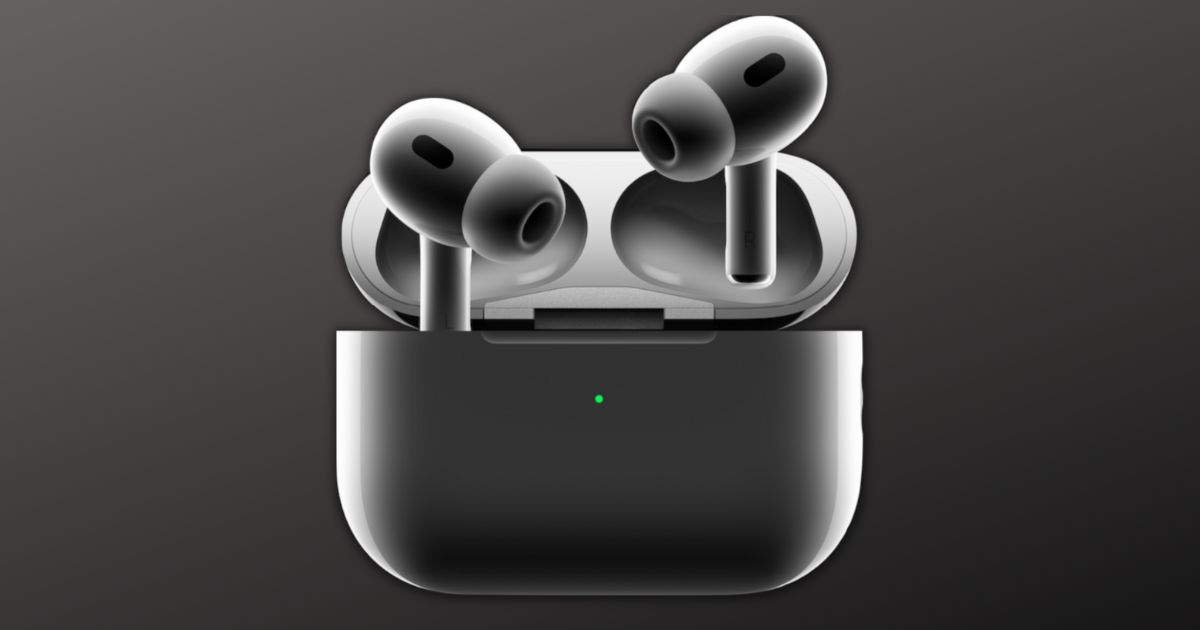
    Apple on Wednesday announced its second-generation AirPods Pro. The new earbuds feature better audio quality as well as enhanced Active Noise Cancelation.

    Key to the new features is Apple’s H2 chip, which Apple has stated offers major upgrades to its Active Noise Cancellation and Transparency mode. In addition, the new AirPods Pro also offers a more immersive Spatial Audio experience. Apple said the H2 chip cancels up to twice as much noise as the previous generation AirPods Pro. It also offers a new low-distortion audio driver and a custom amplifier. With that, users will be able to experience richer bass and crystal-clear sound across a wider range of frequencies. The new AirPods Pro also enabled touch control for media playback and volume adjustments from its stem.

    Other improvements include an updated Transparency Mode. The H2 chip offers on-device processing in the units, which reduces loud environmental noise to bring in more comfortable everyday listening.

    Where the charging case is concerned, the second-generation AirPods Pro offers a redesigned, sweat and water-resistant case that comes with a lanyard loop. It’s also now possible to locate the charging case through Precision Finding with a U1-enabled iPhone. Plus, users can now also charge the new Airpods Pro using with an Apple Watch charger. Finally, the charging case can also now be personalized with emojis, animoji, and a curated list of stickers.

    The second-generation AirPods Pro will be available for pre-order starting today and will be available in-store on September 23. The new AirPods Pro retails for $249.

    Stay tuned for additional details as they become available.

    Via The Mac Observer

  • Apple releases iOS 13.3, iPadOS 13.3, and tvOS 13.3

    The long-awaited 13.3 updates arrived today as Apple released iOS 13.3, iPadOS 13.3, and tvOS 13.3. The updates feature bug fixes, improvements, and larger features.

    Among the more significant features is an addition to Screen Time called “Communication Limits,” which allows parents to control who their kids can talk to, whether it’s during allowed Screen Time or during downtime. Two controls limit communication to “Everyone” and “Contacts Only.”

    This works across Phone, FaceTime, Messages, and iCloud contacts. Communication to known emergency numbers will always be allowed.

    Another major new feature within iOS 13.3 is Memoji Stickers, which function as emoji based on a user’s Memoji avatar. Memoji and Animoji stickers were automatically added to the keyboard, but iOS 13.3 gives you the ability to remove this section if you want. To adjust this, go to Settings > General > Keyboard.

    The updates are several hundred megabyte downloads, and can be located, downloaded, and installed by navigating to Settings > General > Software Update.

    If you’ve have a chance to try the iOS 13.3, iPadOS 13.3, or tvOS 13.3 updates, please let us know about your experience in the comments.

    Via The Mac Observer