Category: Take Apart

  • iFixit posts teardown video of AirPods Pro 2 earbuds, charging case

    iFixit posts teardown video of AirPods Pro 2 earbuds, charging case

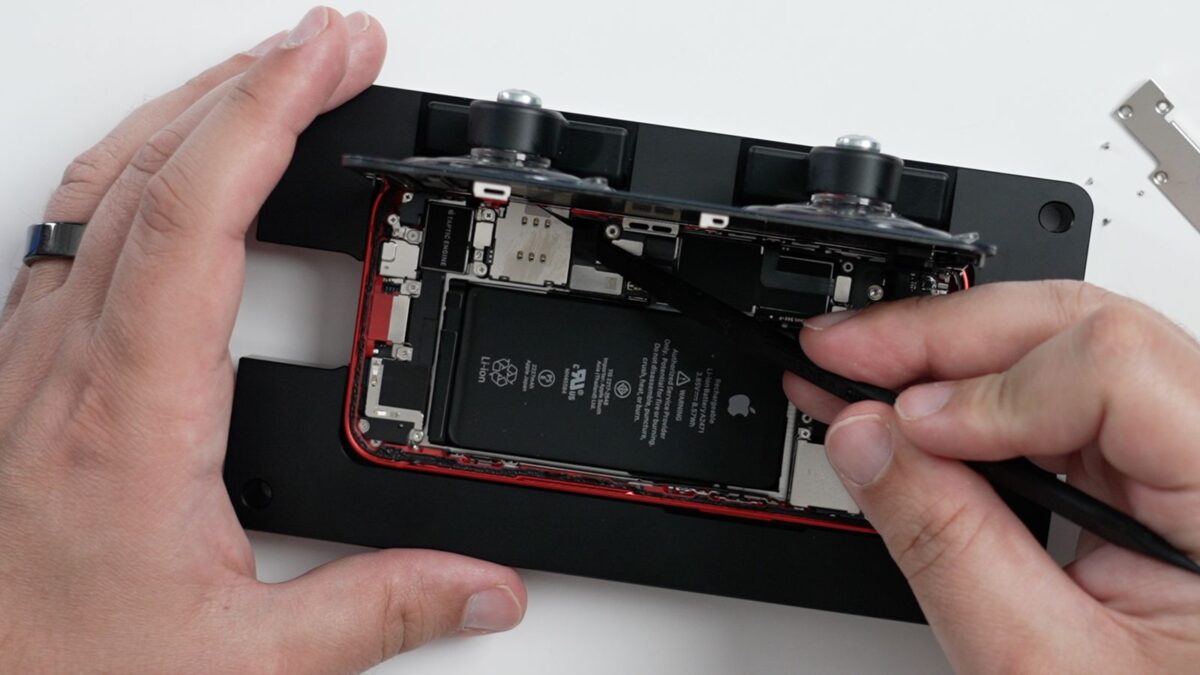
    If you’re tempted to open up and modify or repair your brand new AirPods Pro 2 earbuds, you probably shouldn’t.

    On Wednesday, repair website iFixit posted a teardown video of Apple’s second-generation AirPods Pro, providing a closer look at the internals of the new earbuds and charging case. The teardown confirms that AirPods Pro remain largely unrepairable.

    Opening up the AirPods Pro and the charging case continues to result in unfixable damage, preventing battery replacements and other repairs.

    As noted before, the video shows the metal insert on the charging case for attaching a lanyard is welded to the Lightning connector inside the case. iFixit doesn’t offer an explanation as to its function, even though CT scanning company Lumafield has speculated that the new lanyard insert could double as an antenna for the U1 chip, which boosts the Find My feature.

    There aren’t too many new suprises to be found with the internals of the new AirPods Pro 2 and charging case, which remain environmentally unfriendly.

    The new AirPods Pro launched last Friday and retail for $249 in the United States.
    Via MacRumors and iFixit

  • First teardown of M2 MacBook Air published, single storage chip for 256GB model confirmed

    First teardown of M2 MacBook Air published, single storage chip for 256GB model confirmed

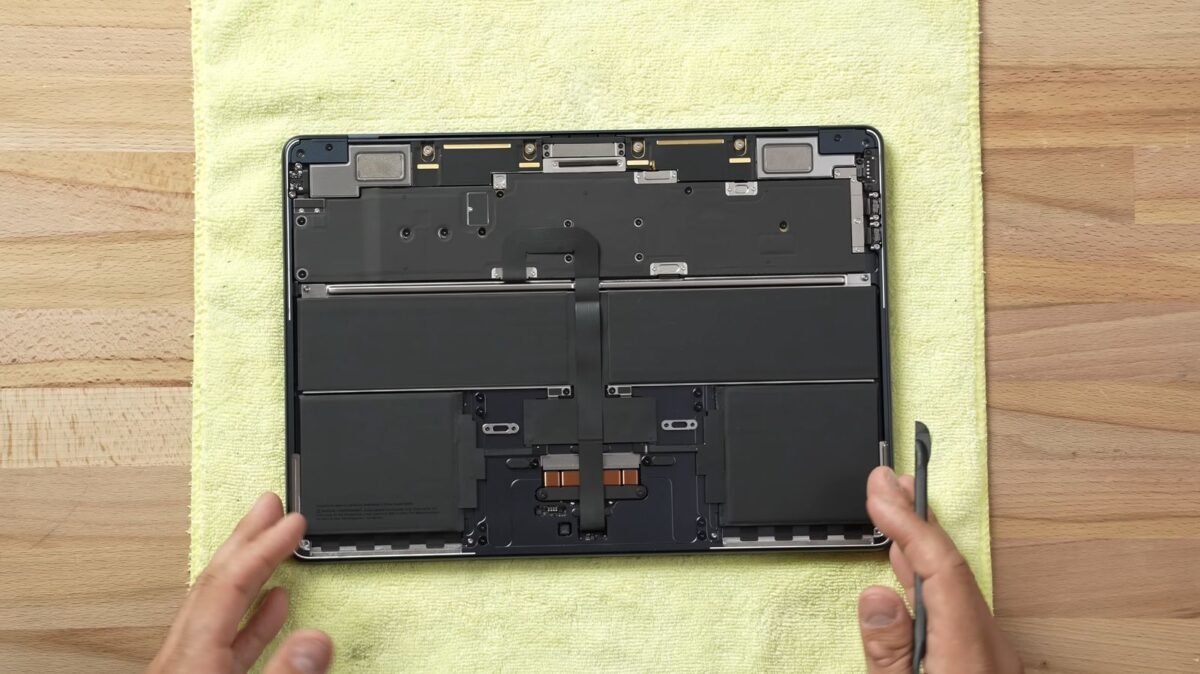
    The first M2 MacBook Airs have begun to arrive and the cool cats at the Max Tech YouTube channel recently posted a video teardown of the redesigned lightweight notebook.

    Overall, the internal design of the new MacBook Air looks similar to the previous model, but the flatter shell allowed for Apple to fit larger battery cells inside the notebook. The new MacBook Air is equipped with a 52.6-watt‑hour battery, compared to a 49.9‑watt‑hour battery in the previous model, according to Apple’s tech specs. However, Apple says both the 2020 and 2022 models of the MacBook Air achieve up to 18 hours of battery life per charge.

    The teardown also revealed the M2 MacBook Air’s logic board, complete with Apple’s new M2 chip. As confirmed by Apple last week, the teardown also notes that the 256GB model of the new MacBook Air is equipped with only a single NAND storage chip. The can result in up to 30 percent to 50 percent slower SSD speeds in benchmark testing compared to both higher-capacity MacBook Air models and the previous model with 256GB of storage.

    The storage and RAM chips are once again soldered to the logic board of the M2 MacBook Air, making it very difficult, if not outright unfeasible, to upgrade the notebooks after purchase. In short, know what your needs will be before you order one, or things could get tricky.

    Stay tuned for additional details as they become available.

    Via MacRumors and Max Tech

  • Benchmark testing, disassembly notes slower SSD read/write performance on base model 13-inch M2 MacBook Pro

    Benchmark testing, disassembly notes slower SSD read/write performance on base model 13-inch M2 MacBook Pro

    This probably wasn’t what you were expecting with a new M2-based 13-inch MacBook Pro.

    The $1,299 base model of the 13-inch MacBook Pro featuring 256GB of storage has significantly slower SSD read/write speeds compared to an equivalent previous-generation model. According to YouTube channels Max Tech and Created Tech, which ran tests on the new units using Blackmagic’s Disk Speed Test App, both found that the SSD’s read and write speeds are around 1,450MB/s. This is around 50 percent slower reading and 30 percent slower writing when compared to the 13-inch MacBrook featuring the M1 chip and 256GB of storage.

    Vadim Yuryev of Max Tech reported the following numbers:

    • 13-inch MacBook Pro (M1/256GB) Read Speed: 2,900
    • 13-inch MacBook Pro (M2/256GB) Read Speed: 1,446
    • 13-inch MacBook Pro (M1/256GB) Write Speed: 2,215
    • 13-inch MacBook Pro (M2/256GB) Write Speed: 1,463

    After disassembling the notebook, Yuryev noticed that the 256GB model arrives with a sole NAND flash storage chip. The previous model had feature two NAND storage chips, which were likely 128GB each. As such, Apple seems to have built in a single 256GB chip as opposed to two 128GB chips. Multiple NAND chips allow for faster speeds thanks to their running in parallel, which may explain the appreciable speed difference.

    Yuryev offered the following comment in the video: “When you have double the chips, they kind of work together, almost like in a raid with the SSD controller, and they’re way faster than one.”

    It appears that the slower SSD issue only affects the $1,299 base 13-inch M2 MacBook Pro, and tests performed on the 512GB model found SSD read/write speeds similar to the M1 models.

    Apple has yet to publicly comment on this, and supply chain issues as well as costs may factor into this.

    In terms of value, slower SSD speeds can impede simple tasks, such as the transfer of files to an external drive. There can also be a decline in overall performance, as Macs use SSD space temporarily as virtual RAM when the physical RAM is seeing full use.

    Stay tuned for additional details as they become available.

    Via The Mac Observer, Max Tech, and Created Tech

  • In the face of delays waiting for repair parts, Apple is letting some customers take their devices home with them

    In the face of delays waiting for repair parts, Apple is letting some customers take their devices home with them

    The global supply chain issues that have made life interesting continue, and it’s affecting some Apple repair.

    The company has begun allowing customers to take their devices back home in the event that their repair will take longer than expected due to a missing part that’s backlogged. Once the part has arrived at the location, customers can return the device to complete the repair.

    Once the customer has taken their device back home, they’ll be informed as to when the necessary part needed for their repair has arrived. From this point on, the customer has five days to return the device back to the service center before the repair is canceled. 

    The new policy is available only in select locations, and it’s currently up to the service center as to whether or not the customer is eligible to take their device home as they wait for the repair parts to arrive. Logically, this only applies to customers with devices that are functioning and in a usable state.

    According to sources close to the story, repair parts for the MacBook Pro, such as the 16-inch MacBook Pro display, are currently taking up to two months to arrive in certain regions. 

    Other parts, such as the top case for select models of the MacBook Pro and MacBook Air, which includes the battery, keyboard, and internal chassis, could take several weeks.

    Stay tuned for additional details as they become available.

    Via MacRumors

  • ChargerLAB performs full teardown of Apple 35W dual USB-C charger, posts findings

    ChargerLAB performs full teardown of Apple 35W dual USB-C charger, posts findings

    Last week, Apple began selling its new 35W dual USB-C charger in two versions, offering both a regular and a compact model. While they perform the same functions at the same capacities, there’s a small design tweak on the exterior of the product.

    The cool cats at the ChargerLAB YouTube channel posted a full teardown vide, and cited the following list of components:

    Input Fuse: SCHURTER

    Bridge Rectifier: LITE-ON MRS30M (3A 1000V)

    Electrolytic Capacitor: AiSHi, CapXon

    Master Control Chip: PI ZN1431C

    Transformer: Salcomp

    Synchronous Rectifier: AOS AONS62920

    Solid Capacitor: CapXon

    MOSFET: ON Semiconductor NTTFS4C05N

    Protocol Chip: Infineon CYPD4236-LQXQT

    Interestingly, Apple promises 35W of power when charging a single device and 17.5W of power when charging two devices at once.

    What’s interesting to see in the video is how symmetrical it is the internal components of the charger. For this product, Apple promises up to 35W when charging one device and 17.5W of power when charging two devices at once.

    The folks at 9to5Mac also noted the following thanks to tests performed over the weekend:

    • If you connect a Mac notebook and an iPhone or iPad, each device receives up to 17.5W;
    • If you connect an iPhone and an iPad, each device receives up to 17.5W;
    • If you connect a Mac notebook or iPhone and an Apple Watch or AirPods, the Mac notebook or iPhone receives up to 27.5W and the Apple Watch or AirPods receive up to 7.5W.