Tag: U1

  • Lumafield posts CT scans of AirPods Pro 2 charging case, lanyard loop could serve as possible antenna

    Lumafield posts CT scans of AirPods Pro 2 charging case, lanyard loop could serve as possible antenna

    This could be interesting.

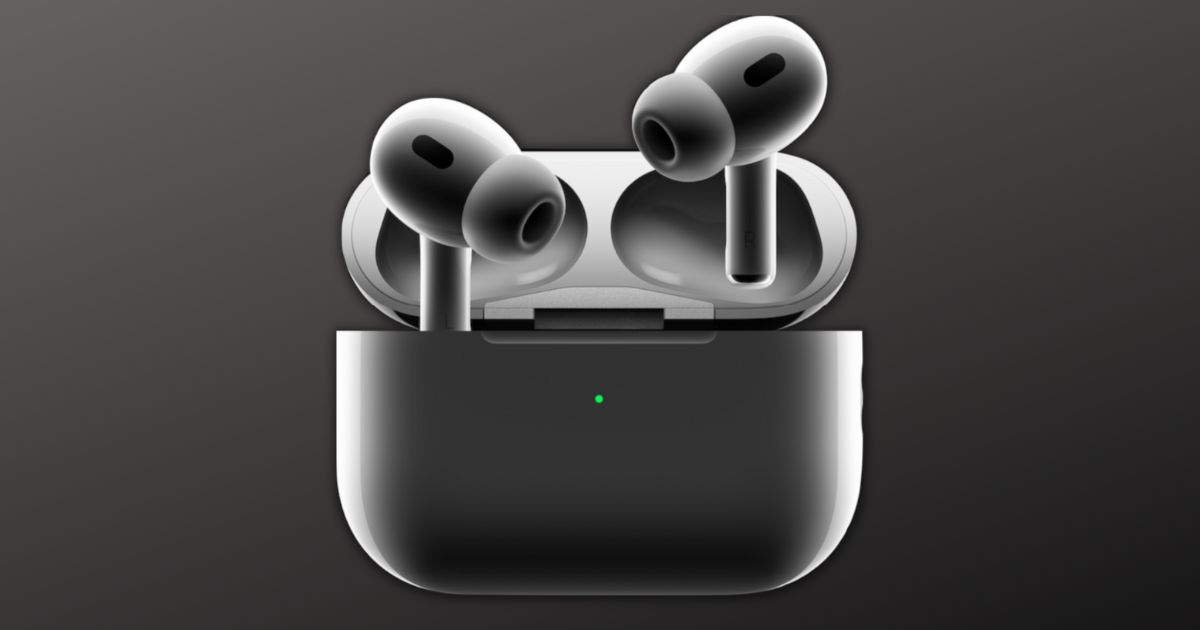
    On Tuesday, Lumafield posted CT scan images of the Apple AirPods Pro 2 charging case, offering a look at changes that had been incorporated since the first version.

    While the basic layout of the case appears to be similar to the original, Lumafield discovered that the newly added “lanyard loop” is internally connected to the Lightning connector, which interfaces with the logic board, leading the company to speculate that the metal insert might double as an antenna for the U1 chip or serve some other additional purpose.

    There’s also a new metal eyelet on the side of the case. While Apple has stated that this is for a lanyard, it also seems to serve an additional purpose. The new metal eyelet is 4 mm deep and 18 mm long, with a hidden tail that’s connected to a metal pad around the Lightning port. It’s thought that this could serve as an antenna to support improved “Find My” tracking.

    The U1 chip enables Find My support, allowing users to track the location of the charging case in the Find My app on their iPhone or on iCloud.com. The case features a new built-in speaker that can emit a chime to help with finding it.

    Other changes to the charging case include improved water resistance, support for the Apple Watch’s magnetic charging puck, and longer battery life.

    The AirPods Pro 2 launched last Friday and retail for $249 in the United States.

    Stay tuned for additional details as they become available.
    Via MacRumors and Lumafield

  • Apple announces second-generation AirPods 2 earbuds, pre-orders begin today

    Apple announces second-generation AirPods 2 earbuds, pre-orders begin today

    Apple on Wednesday announced its second-generation AirPods Pro. The new earbuds feature better audio quality as well as enhanced Active Noise Cancelation.

    Key to the new features is Apple’s H2 chip, which Apple has stated offers major upgrades to its Active Noise Cancellation and Transparency mode. In addition, the new AirPods Pro also offers a more immersive Spatial Audio experience. Apple said the H2 chip cancels up to twice as much noise as the previous generation AirPods Pro. It also offers a new low-distortion audio driver and a custom amplifier. With that, users will be able to experience richer bass and crystal-clear sound across a wider range of frequencies. The new AirPods Pro also enabled touch control for media playback and volume adjustments from its stem.

    Other improvements include an updated Transparency Mode. The H2 chip offers on-device processing in the units, which reduces loud environmental noise to bring in more comfortable everyday listening.

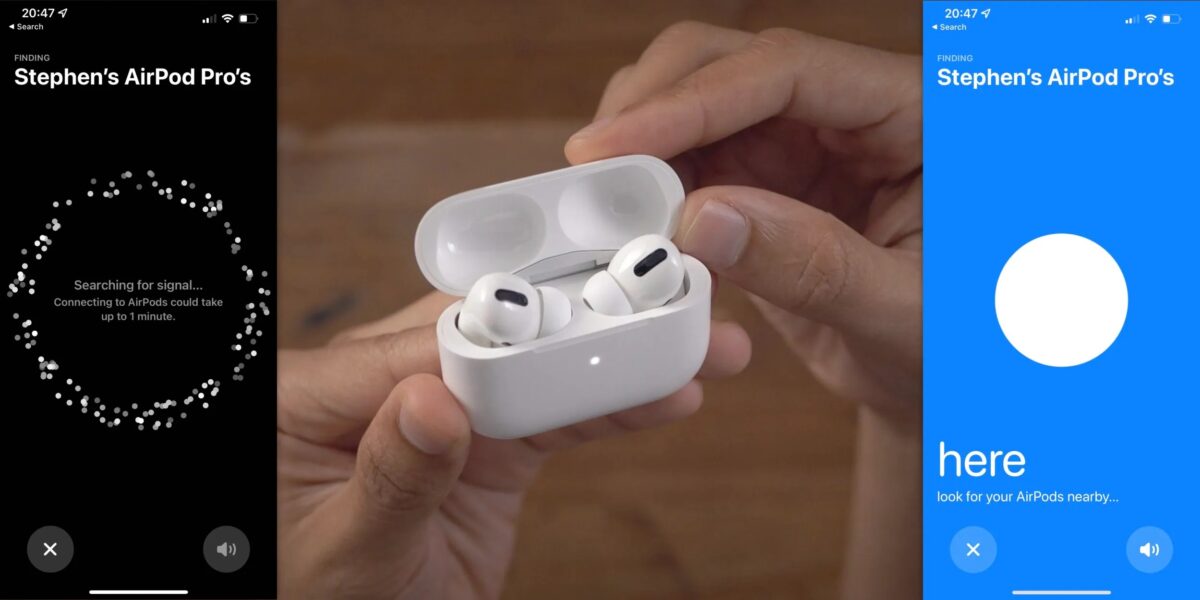
    Where the charging case is concerned, the second-generation AirPods Pro offers a redesigned, sweat and water-resistant case that comes with a lanyard loop. It’s also now possible to locate the charging case through Precision Finding with a U1-enabled iPhone. Plus, users can now also charge the new Airpods Pro using with an Apple Watch charger. Finally, the charging case can also now be personalized with emojis, animoji, and a curated list of stickers.

    The second-generation AirPods Pro will be available for pre-order starting today and will be available in-store on September 23. The new AirPods Pro retails for $249.

    Stay tuned for additional details as they become available.
    Via The Mac Observer

  • Apple releases updated Find My features for AirPods Pro and AirPods Max devices

    Apple releases updated Find My features for AirPods Pro and AirPods Max devices

    Apple on Tuesday reported that the company had released new firmware versions for its AirPods Pro and AirPods Max products. The new software also enables Find My support for the devices, which Apple first teased back in June at WWDC.

    The new features for compatible AirPods models within the Find My now include precise location, a new Nearby Finding UI, Lost Mode, and the ability to get notifications when your earbuds are left behind.

    In order to take advantage of these new features, you’ll first need to update your AirPods to the just-released firmware. Getting AirPods to update immediately is a somewhat mercurial process that involves placing your charged AirPods in their case near a connected phone, and then hoping that the software update is transferred. Most AirPods customers simply receive new firmware updates passively over time, in the course of use.

    The features also allow the AirPods Pro and AirPods Max to participate in the Find My network, sending out a continuous Bluetooth beacon message. When other Apple devices are in the area, they can detect this signal and report it to the Find My network, placing its location on the owner’s map. This is similar to how AirTags work at long range.

    The the user is in close range of the AirPods, they’ll be able to get a visual indicator of their proximate location. While the directional arrows feature of AirTags is not present here, as the AirPods currently lack a built-in U1 chip, the AirPods version offers a relatively precise ultra-wide band precision location capability.

    With the Lost Most, iPhone customers who’ve lost their AirPods will be able to leave a message and contact phone number. If the AirPods are then picked up by someone else and paired with an iOS device, the Lost Mode message will be shown to help return the lost item back to its original owner.

    To check the firmware version on your AirPods, use the following instructions:

    • Open the Settings app on your iPhone
    • Navigate to the “Bluetooth” menu
    • Find your AirPods in the list of devices
    • Tap the “i” next to them
    • Look at the “Firmware Version” number

    If you’ve had a chance to try the new firmware and its assorted Find My features, please let us know about your experience in the comments.

    Via MacRumors

  • Ultra Wideband feature availability expands to additional countries

    Ultra Wideband feature availability expands to additional countries

    If you’re traveling this year, there’s a decent chance you can now use the Ultra Wideband functionality in additional countries.

    The Ultra Wideband functionality found in the Apple Watch Series 6, iPhone 11, and iPhone 12, has now been expanded to additional countries, including Argentina, Pakistan, Paraguay, and the Solomon Islands.

    Apple is not allowed to activate Ultra Wideband technology in some countries due to international regulatory requirements, and it must be disabled in those places. All of the above listed countries previously did not allow UWB technology.

    The feature continues to be disabled in Armenia, Azerbaijan, Belarus, Indonesia, Kazakhstan, Kyrgyzstan, Nepal, Russia, Tajikistan, Turkmenistan, Ukraine, and Uzbekistan.

    As for the technology itself, the U1 chip found in the aforementioned Apple devices is designed to offer much more precise positioning information than either Bluetooth or WiFi. This, in turn, makes it ideal for spatial awareness and more precise indoor mapping.

    Ultra Wideband technology is required for the Precision Finding feature available for AirTags in the Find My app, and it is also used for Car Key functionality and more precise AirDropping between devices with a U1 chip.

    Stay tuned for additional details as they become available.

    Via MacRumors and support.apple.com

  • Apple announces AirTags, offers units for $29 each or $99 for a four-pack

    Apple announces AirTags, offers units for $29 each or $99 for a four-pack

    After years of leaks, rumors, speculation, and waiting, it’s been announced. Apple’s long-awaited AirTag tracker system has been announced at the company’s “Spring Loaded” media event, the company integrating the accessories with the “Find My” app while pricing them at $29 apiece, or $99 for a four-pack of the units.

    The new circular trackers can be affixed to different devices and located using the updated Find My app included as part of iOS 14. The updated app is broken out into four tabs for “People,” “Devices,” “Items,” and “Me.”

    Objects can be placed into “lost” mode where when another iPhone user comes in proximity it sends the device location back to the owner, similar to Tile’s community feature. When in lost mode, anyone who finds them can tap them via NFC to learn more about the lost item.

    Upon ordering, users can customize their AirTags with personalized emojis that are representative of what they’re tracking.

    AirTags feature Apple’s U1 chip, which incorporate an internal accelerometer, sport IP67 water and dust resistance, and have a built-in speaker for easier discovery. The back is laser-etched polished stainless steel while the top is plastic and can be personalized.

    Users can replace the device’s battery on their own, and each battery is rated to last over a year with regular use.

    Apple has stated that the AirTags setup mimics the AirTags experience, and users can set the AirTag near their iPhone, which leads to a card appearing on screen to help you onboard the device and add to the Find My app.

    The company has also introduced a line of accessories, such as its own Polyurethane Loop, Leather Loop, and Leather Key Ring.

    In April, Apple officially brought its third-party Find My network online after announcing it at the 2020 Worldwide Developer Conference. Supported third-party Find My devices including the new Belkin SoundForm earbuds, VanMoof’s e-bikes, and the Chipolo ONE Spot tracker.

    Stay tuned for additional details as they become available.

    Via AppleInsider